What happens to your Stryd data when you edit a lap
Melts down to ButterLaps – a free browser-based lap editor – rewrites the lap boundaries you change and nothing else. The second-by-second recording passes through byte-for-byte, laps you didn’t touch keep the exact summaries your device wrote – Stryd’s developer fields included – and anything that must be recalculated is recomputed from your own recording and checked against your device’s totals. A number that can’t be verified is left empty rather than written wrong. No account, nothing to install, and your file never leaves your device. Fix your laps now →
ButterLaps exists because of one edited file. The run that started this project had a botched lap, and I fixed it the best way I could find at the time – with another lap-editing tool. This week I dug that file out, made the same edit in today’s ButterLaps, and put both exports side by side in Runalyze, against the numbers Stryd itself recorded. The edited lap was fine in both. The laps I never touched were not: in the old export, their stats no longer matched what Stryd wrote. Somewhere on the way out, those summaries had been dropped or rewritten, and what Runalyze showed me was its own reconstruction – plausible numbers, close numbers, but not my device’s numbers.
That’s the real failure mode of lap editing. It isn’t corrupted files or zeroed-out watts – you’d notice those. It’s drift: a tool rewrites more of the file than it needed to, the platforms politely recompute whatever’s missing, and your training history quietly stops being what your devices actually measured.
The rules ButterLaps edits by
- The recording is read-only. Every per-second sample – GPS, heart rate, cadence, power, Stryd’s developer records – passes through byte-for-byte. The export rewrites lap messages and touches nothing else in the file.
- Untouched laps stay untouched – literally. A lap whose boundaries you didn’t change isn’t recomputed and rewritten; wherever the file’s layout allows it (nearly always), its original bytes are copied through verbatim. Calories, temperature, fields ButterLaps doesn’t even parse – exactly as your device wrote them.
- Developer fields are first-class. Stryd’s per-lap power, distance, pace, and time are recognised and handled with the same care as native FIT fields, not stripped as unknown baggage.
- Recalculation is strictly need-to-write. Only laps you actually changed get new summaries, recomputed from your own recording. And before ButterLaps trusts its own maths on your file, it checks itself: recalculated power has to agree with the totals your device stored within 2% across the whole activity, Stryd’s distance and pace within 5% – wider, because a foot pod and GPS legitimately disagree by a couple of percent on a real run.
- Empty beats invalid. If a value can’t be reconciled, the field is left blank rather than written wrong – unless it’s a constant value repeated on every lap (a pod’s configuration, not a per-lap measurement), in which case it just carries forward unchanged. Platforms quietly recompute a blank from the full-resolution stream; a stale number would stick – and lie.
Stryd files are the stress test
If a lap editor is going to mishandle a file, a Stryd file is where it shows first. Stryd writes its own per-lap power, distance, and pace into the .fit as developer fields – exactly the kind of data a generic tool doesn’t understand, so it gets stripped or dragged along stale. It’s also the data you bought the pod for.
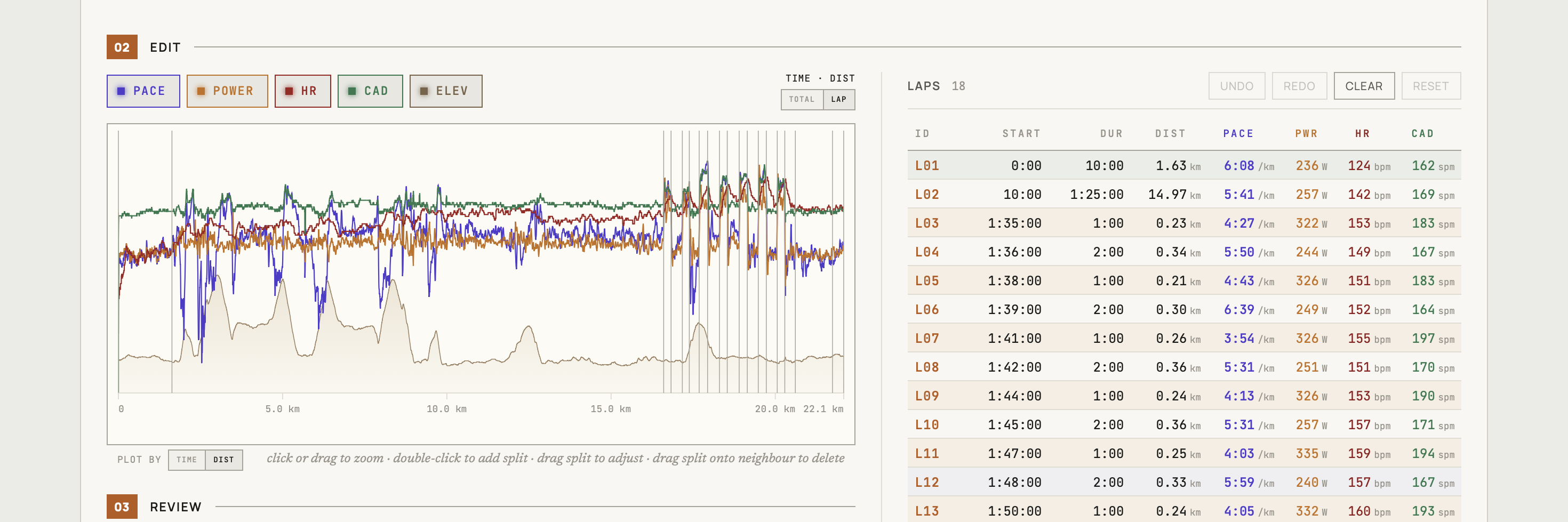
So the workflow is ordinary on purpose. Get the original .fit from the Stryd app or Garmin Connect (not GPX/TCX) and drop it into ButterLaps – it detects the Stryd fields and plots power alongside pace, heart rate, and cadence. Click MERGE between two laps in the table, double-click the chart to add a split, drag a boundary to move it; the watts column updates live, so each rep shows the power you actually held. Full walkthrough →
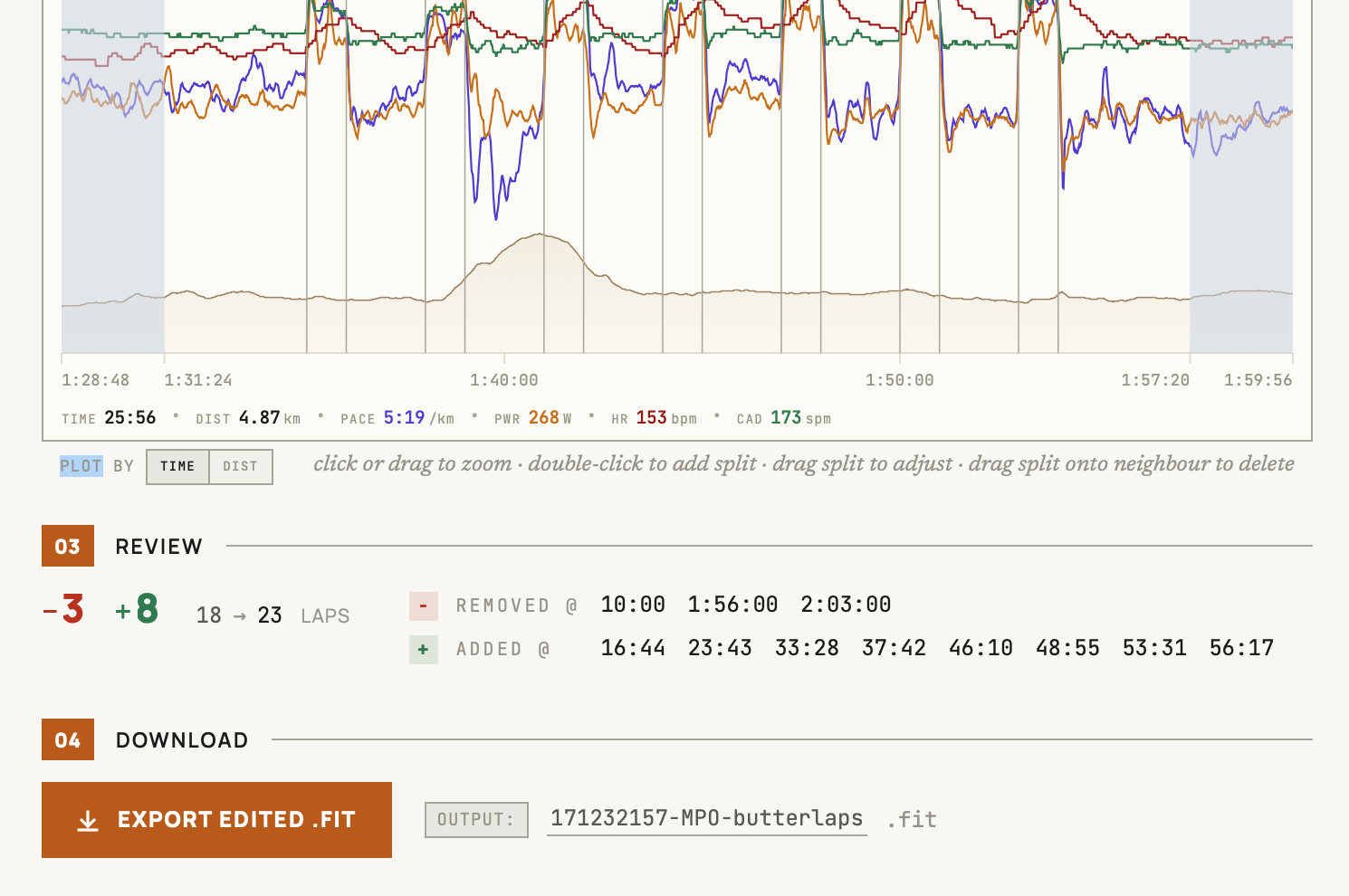
The review screen shows the receipts on boundaries: which changed, added, or removed. For developer fields specifically, run the on-demand Verify export check and it names exactly which ones this edit cleared, measured straight from the exported bytes rather than predicted – on the rare occasion any were. Nothing about the export is silent.
The usual re-upload rule applies: Garmin Connect and Strava treat a resubmission as a duplicate, so delete the original activity first. Stryd PowerCenter recomputes its lap stats from the record stream on import – which, since that stream is byte-for-byte yours, lands every lap with the right power.
It supports running, cycling, walking, and hiking – no multisport, no swimming.
Free, in your browser, no account – made by one runner who got tired of read-only lap tables.