How to edit Apple Watch workout laps
Melts down to Apple’s Fitness app has no lap editor. Export your workout as a .fit file with HealthFit or WorkOutDoors, then open it in ButterLaps – a free browser-based lap editor – to drag, add, or merge the lap markers and download a corrected .fit. It all runs in your phone browser, so no desktop needed. Nothing to install, no account, and your file never leaves your device. Fix your laps now →
Apple’s Fitness app shows your workout splits but gives you no way to change them – there’s no lap editor anywhere in the Apple ecosystem. So when a split lands wrong, you’re stuck with it. The good news: getting your workout out of Apple Health as a .fit file takes one tap, and from there the laps are fully editable in your browser – phone included.
First, get a .fit out of Apple Health
Apple doesn’t export .fit directly, but several excellent third-party apps do:
- HealthFit. If you record with Apple’s built-in Workout app, your activities live in Apple Health. HealthFit reads Health and exports any workout as a
.fit– this is the path for stock Apple Watch recordings. It’s a paid app – an inexpensive one-time purchase, no subscription – and well worth it: meticulously maintained, fluent in every metric Apple stores, and the export tool serious Apple Watch athletes reach for first. It also does the return trip, which matters below. - WorkOutDoors. Popular with data-minded runners and cyclists, it records on the watch in place of the native app and exports
.fitdirectly. If you already use it, you’re one share-sheet tap from a file. - Stryd. If you run with a Stryd power meter, its Workout app on the watch captures power alongside the usual metrics, and you can export the activity as a
.fitfrom the Stryd app or its PowerCenter dashboard – the route to take when your splits carry Stryd power worth preserving.
Those are the ones most Apple Watch athletes reach for, but they’re not the only options – any app that turns your workout into a valid .fit will do.
All three are phone apps, and ButterLaps runs in your phone browser too – so unlike the Garmin route, the entire fix can happen on your phone, no desktop needed.
Why Apple Watch laps go wrong
- The Action button. Apple Watch Ultra owners often map the Action button to mark a segment – and it gets bumped against a sleeve, a pack strap, or a low branch, dropping a stray split mid-effort.
- Off-plan intervals. You ran a structured session but cut a rep short or added one, and the recorded segments no longer match the efforts you actually ran.
- Late or early segment marks. A manual mark a few seconds off folds easy running into a hard rep, or vice versa, biasing the split’s pace.
Fix the laps in ButterLaps
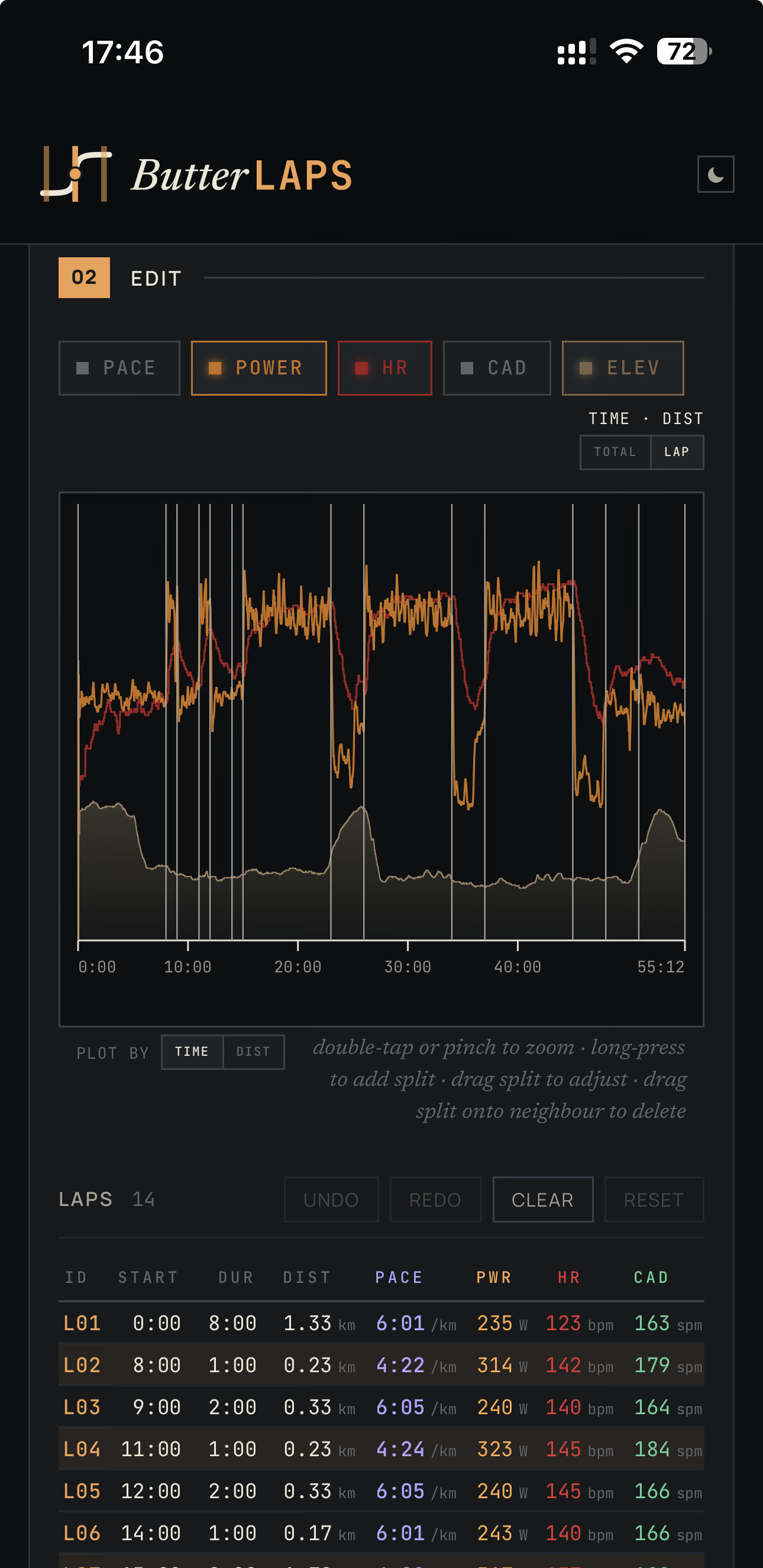
Share the .fit from HealthFit or WorkOutDoors to your phone browser and open it in ButterLaps. Your workout plots on an interactive chart with every boundary as a draggable marker – drag onto a neighbour to merge an accidental split, drag to reposition a mis-timed mark, or long-press (double-click on desktop) to add one that’s missing. The lap table previews the result before you commit – merge it and you see the combined lap’s pace and time before you let go, so there’s no guesswork about what the fix will do. Download when done. Full walkthrough →
Every edit is a gesture – a drag, a tap, a long-press. You’re never typing a timestamp or a lap number into a form, so a thumb on the chart is the whole toolkit. That’s exactly why the fix works on a phone the same way it works on a desktop.
The export rewrites only the lap records; your GPS track, heart rate, and every other byte pass through unchanged. And the loop closes back on your phone: HealthFit can import the corrected .fit straight into Apple Health, so your fixed laps show up right where you started, in the Fitness app – just delete the original first so you don’t end up with a duplicate. (Re-importing to Strava or Garmin works the same way.) Catch the bad split the same day and it costs you nothing.
ButterLaps handles running, cycling, walking, and hiking – not multisport or swimming.
Free, in your phone’s browser, no account – made by one runner who got tired of read-only lap tables.