How to fix an accidental lap press on a Garmin
Melts down to Garmin Connect can’t delete an accidental lap press – the lap table is read-only. Export the activity as a .fit file and open it in ButterLaps, a free browser-based lap editor: merge the stray split back into one lap, or drag a late or early press to where it belongs, then download the corrected .fit. Free, no account, and the file never leaves your device. Fix your laps now →
It happens to everyone. Your wrist brushes a hedge, you reach for a gel, or you grab a handrail on a descent – and the lap button catches. Now a clean interval is split in two, or there’s a phantom 4-second lap in the middle of your run. You open Garmin Connect to delete it and find there’s no way to. The lap table is read-only: you can look at the damage, but you can’t touch it.
The recording itself is fine. Your GPS track, pace, heart rate, and power are all intact – the only thing wrong is one extra marker in the wrong place. That’s a two-minute fix, and it happens entirely in your browser.
Three ways a lap press goes wrong
- An accidental bump mid-effort. One real interval becomes two ragged halves, and the per-lap pace and power for each is meaningless because neither half is a complete rep.
- A late press. You finish a hard rep and hit lap a few seconds after you’ve already eased off. Those slow seconds get counted as part of the work lap, dragging its average pace slower than what you actually ran.
- An early press. You press just before the rep actually starts, so the first seconds of standing-around or jogging-in get folded into the effort.
The first one needs the extra split removed. The second and third need the split moved to where it should have been. ButterLaps does both.
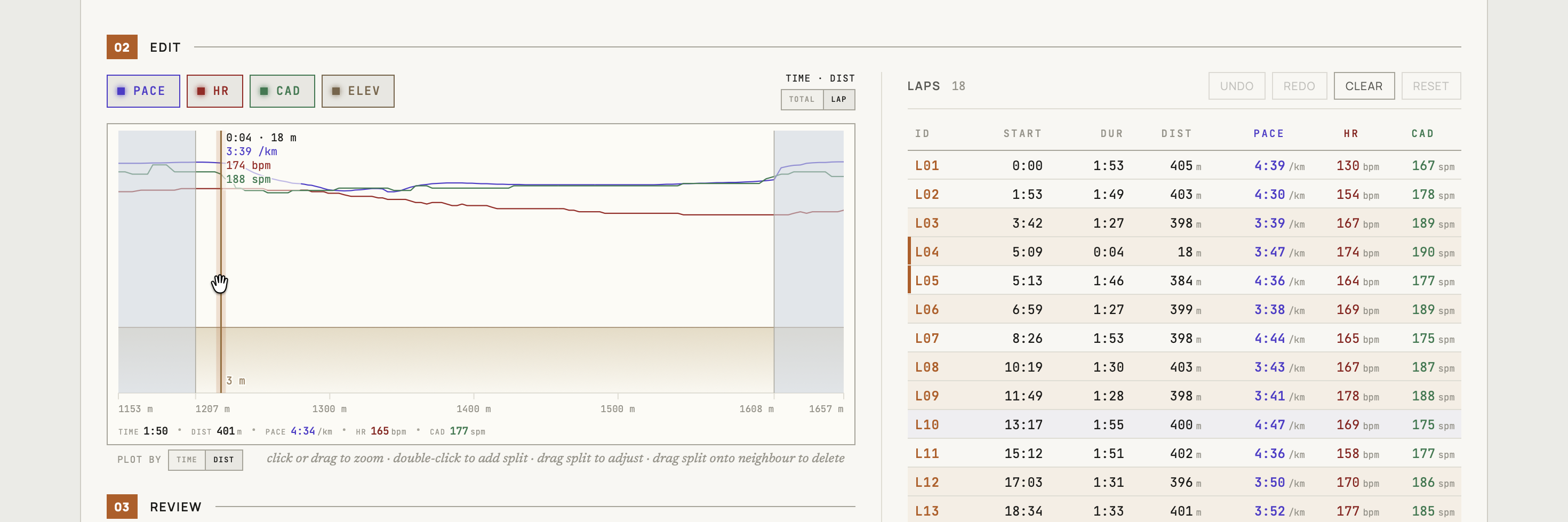
The fix
Export the original .fit from Garmin Connect (desktop browser → gear icon → Export File, skip the GPX/TCX), drop it into ButterLaps, and your activity loads on an interactive chart with every lap boundary as a draggable marker. To remove the stray lap, click MERGE between it and the next lap in the table; to correct a late or early press, drag the marker to where the split should have been. Download when the splits look right. Full walkthrough →
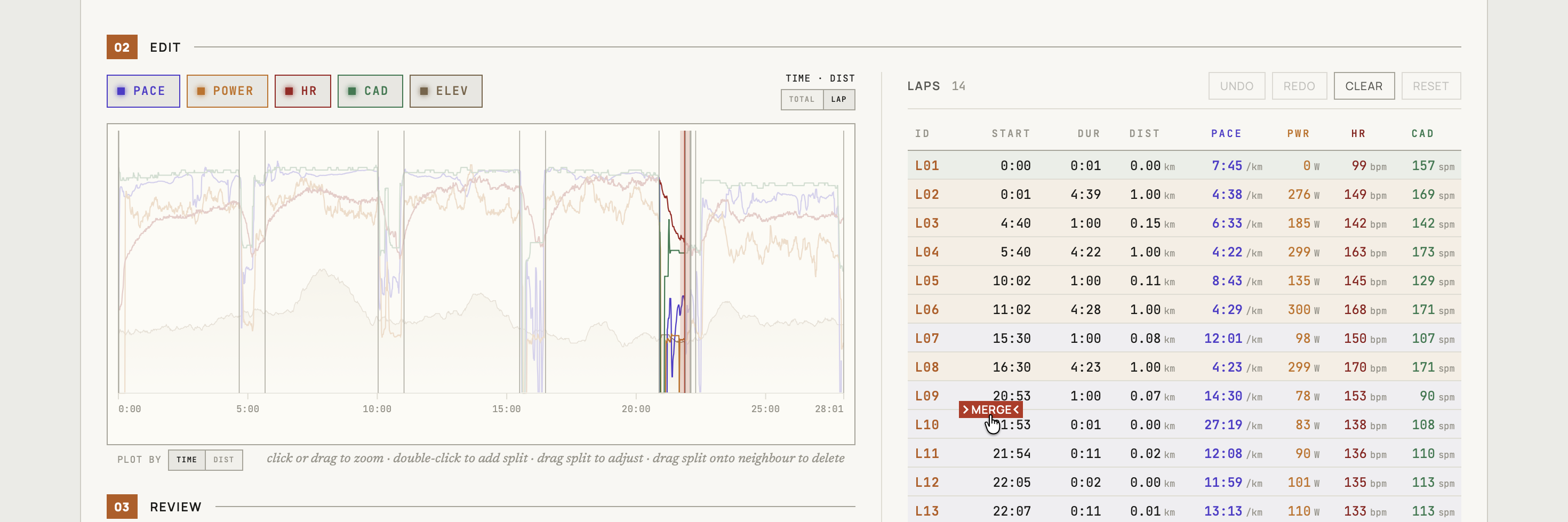
The export rewrites only the lap records; every other byte passes through unchanged. If you re-import to Garmin Connect or Strava, delete the original first – both reject re-uploads as duplicates. Catch it the same day and that costs you nothing.
Running, cycling, walking, and hiking are supported; multisport and swimming aren’t.
Free, in your browser, no account – made by one runner who got tired of read-only lap tables.