Reslice your Garmin run any way you want
Most of the time you don’t look at a run to fix it – you look at it to understand it. And the splits your watch happened to record are rarely the splits you actually want. Autolap gives you neat 1 km chunks, but the interesting questions don’t respect kilometre boundaries. How did the long climb compare to the descent that followed it? Did you fade over the back half? How even were your 5 km blocks in that marathon, really?
You don’t need to re-run anything or change a watch setting. Load the file you already have and reslice it however the run actually unfolded.
Ways to reslice
- By 5 km block. Load a marathon recorded with 1 km autolap and collapse it into 5 km segments to see your real pacing shape – negative split or slow fade – without a wall of forty tiny rows.
- By climb and descent. Drop a split at the bottom and top of a hill and read the climb as its own lap: its pace, its heart rate, its power. Then compare it to the descent you flew down afterward.
- By effort. Put a boundary where the surge started, or where you finally let go on the last mile. Some of the most useful splits are ones no autolap setting could ever produce.
- By cardiac drift. Split a steady long run down the middle to compare first-half and second-half heart rate at the same pace.
How it works
Drop any .fit into ButterLaps and your run plots on an interactive chart – pace, heart rate, power, cadence, and elevation. Double-click to add a split where you want it, drag markers to reposition, drop one onto its neighbour to merge. The lap table recalculates every split live. Switch the readout to LAP and a tooltip follows the marker as you drag, showing the running lap distance and time – so you can drop each split exactly on 1.00 km, or at any time or distance you like. Full walkthrough →
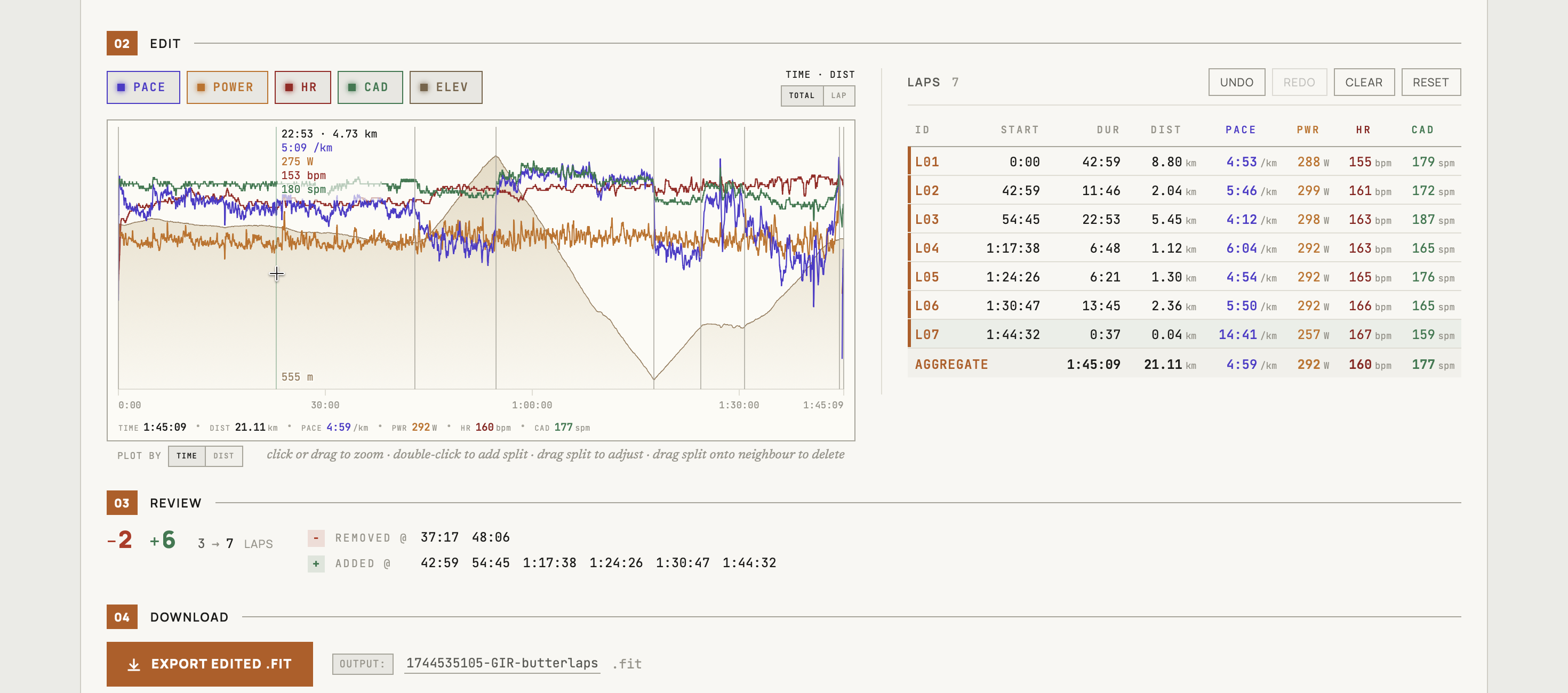
Here’s the part that makes this safe to do casually: you never have to save anything. Reslicing is just a way of looking. Your original file on Garmin or Strava is untouched, your kudos and comments are untouched, and nothing is uploaded anywhere – the whole thing runs in your browser. Load a run, see it the way you meant to, close the tab. Export a corrected .fit only on the occasions you actually want one in hand.
And if you do export, only the lap records are rewritten – every other byte, including developer fields like Stryd’s, survives the round-trip unchanged.
ButterLaps supports running, cycling, walking, and hiking. It doesn’t handle multisport or swimming.
No account, no signup, nothing to install – it opens in your browser.