Fixing Stryd power and lap splits
If you run with a Stryd pod, your lap splits carry something most files don’t: per-lap average power, plus Stryd’s own distance and pace, written into the file as developer fields. They’re what makes a Stryd workout worth reviewing lap by lap. And they’re exactly what most lap-editing tools destroy.
The usual failure is silent. You move a lap boundary, the tool rewrites the lap message, and Stryd’s per-lap power and distance come back as 0 – or vanish entirely – because the tool didn’t understand the developer fields and couldn’t recompute them for the new split. Your power data, the whole reason you run with Stryd, is gone for that lap.
What ButterLaps does differently
ButterLaps reads the full-resolution record stream – including Stryd’s per-second power and distance – and recalculates each lap’s summary for the new boundaries instead of zeroing it:
- Lap power is re-averaged from the power recorded inside the new lap’s start and end, not carried over stale or blanked out.
- Stryd’s distance and pace developer fields are recomputed for the new split alongside the native FIT distance, so the numbers stay internally consistent.
- Each recalculated value is sanity-checked against your device’s own totals first. If they agree closely enough, it’s written; if something doesn’t add up, the field is left blank rather than carrying a wrong number. A blank summary is honest – a fabricated one isn’t.
The per-second record stream itself is never touched. Stryd PowerCenter and most other platforms recompute lap stats from that stream anyway, so your corrected file lands with the right power for every lap.
The workflow
Get the .fit from the Stryd app or Garmin Connect (export the original .fit, not GPX/TCX), then drop it into ButterLaps. The app detects the Stryd developer fields and plots power alongside pace, heart rate, and cadence. Click MERGE between two laps in the table, double-click the chart to add a split, or drag a boundary to move it – the per-lap power column updates live so each rep shows the wattage you actually held. Download the corrected file with Stryd’s per-lap power and distance recalculated, not wiped. Full walkthrough →
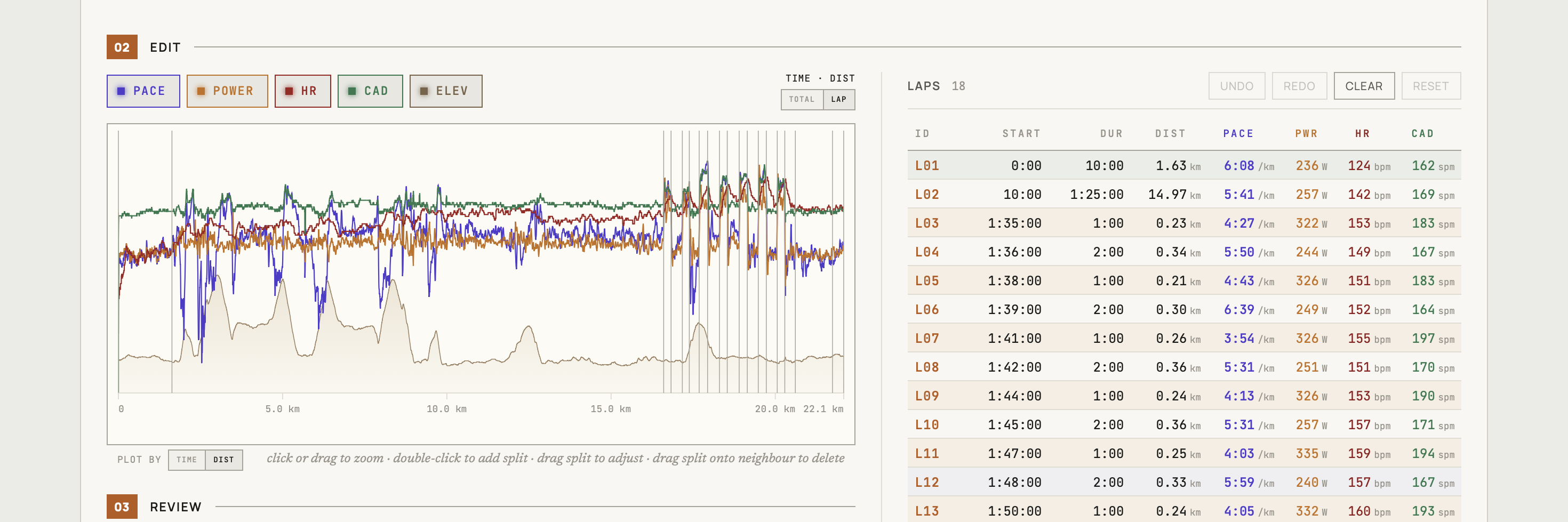
Everything runs in your browser – your file never leaves your device. On export, only the lap records change; the GPS track, every sensor stream, and all developer-field record data survive byte-for-byte. If a boundary move means a summary can’t be reconciled with the recorded data, ButterLaps drops it rather than guessing – the full-resolution stream stays intact and platforms recompute from it. Re-uploading to Strava or Garmin means deleting the original first, as always.
ButterLaps supports running, cycling, walking, and hiking. It doesn’t handle multisport or swimming.
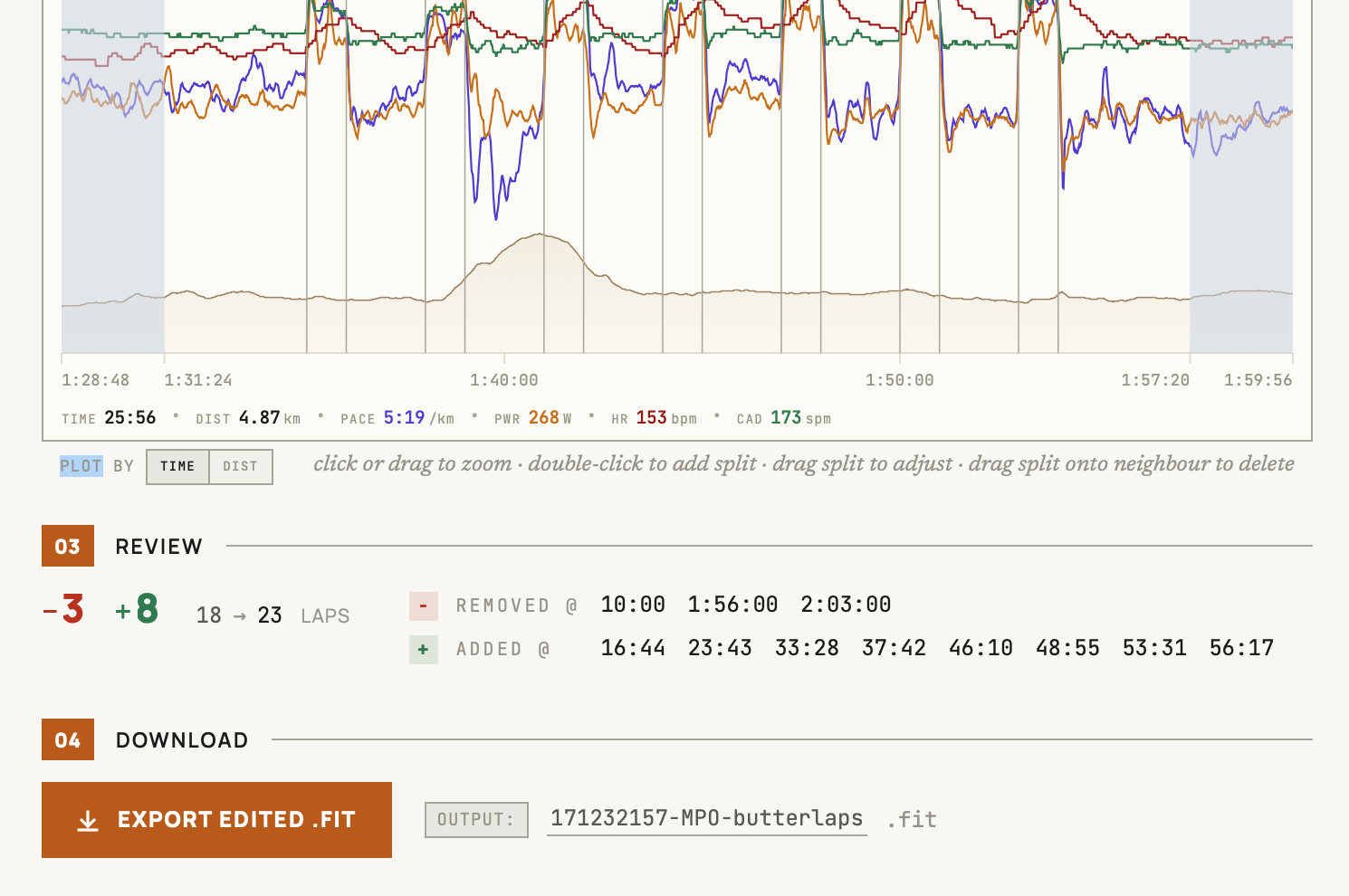
No account, no signup, nothing to install – it opens in your browser.