How to edit Apple Watch workout laps
Apple’s Fitness app shows your workout splits but gives you no way to change them – there’s no lap editor anywhere in the Apple ecosystem. So when a split lands wrong, you’re stuck with it. The good news: getting your workout out of Apple Health as a .fit file takes one tap, and from there the laps are fully editable in your browser – phone included.
First, get a .fit out of Apple Health
Apple doesn’t export .fit directly, but two excellent third-party apps do:
- HealthFit. If you record with Apple’s built-in Workout app, your activities live in Apple Health. HealthFit reads Health and exports any workout as a
.fit– this is the path for stock Apple Watch recordings. - WorkOutDoors. Popular with data-minded runners and cyclists, it records on the watch in place of the native app and exports
.fitdirectly. If you already use it, you’re one share-sheet tap from a file.
Both are phone apps, and ButterLaps runs in your phone browser too – so unlike the Garmin route, the entire fix can happen on your phone, no desktop needed.
Why Apple Watch laps go wrong
- The Action button. Apple Watch Ultra owners often map the Action button to mark a segment – and it gets bumped against a sleeve, a pack strap, or a wall, dropping a stray split mid-effort.
- Off-plan intervals. You ran a structured session but cut a rep short or added one, and the recorded segments no longer match the efforts you actually ran.
- Late or early segment marks. A manual mark a few seconds off folds easy running into a hard rep, or vice versa, biasing the split’s pace.
Fix the laps in ButterLaps
Share the .fit from HealthFit or WorkOutDoors to your phone browser and open it in ButterLaps. Your workout plots on an interactive chart with every boundary as a draggable marker – drag onto a neighbour to merge an accidental split, drag to reposition a mis-timed mark, or long-press (double-click on desktop) to add one that’s missing. Download when done. Full walkthrough →
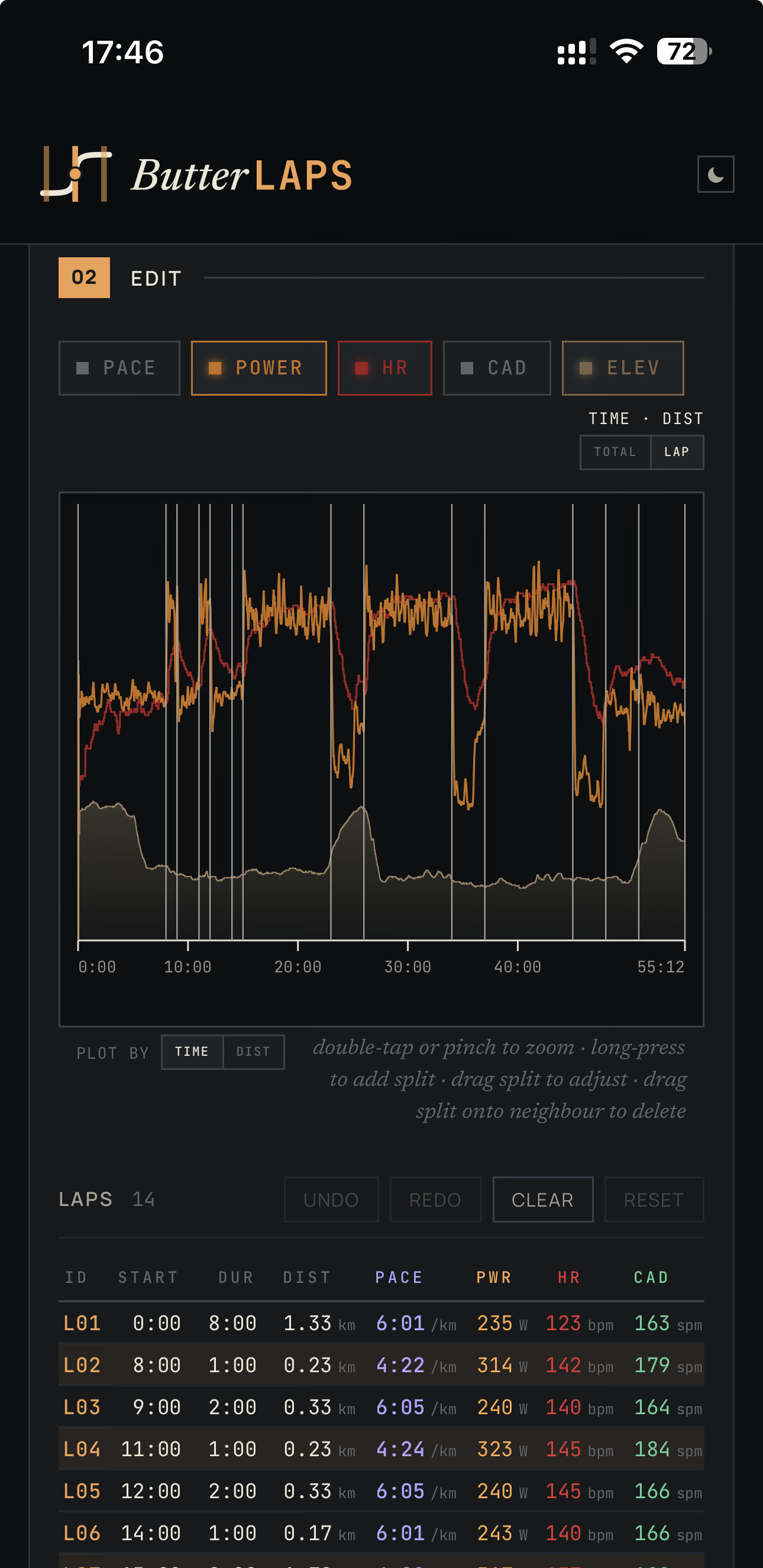
Everything runs in your browser – your workout never leaves your device. The export rewrites only the lap records; your GPS track, heart rate, and every other byte pass through unchanged. Re-importing to Strava or Garmin means deleting the original first – catch the bad split the same day and that costs you nothing.
ButterLaps supports running, cycling, walking, and hiking. It doesn’t handle multisport or swimming.
No account, no signup, nothing to install – it opens in your phone’s browser.